


















 Spanish News Today
 Alicante Today
 Andalucia Today

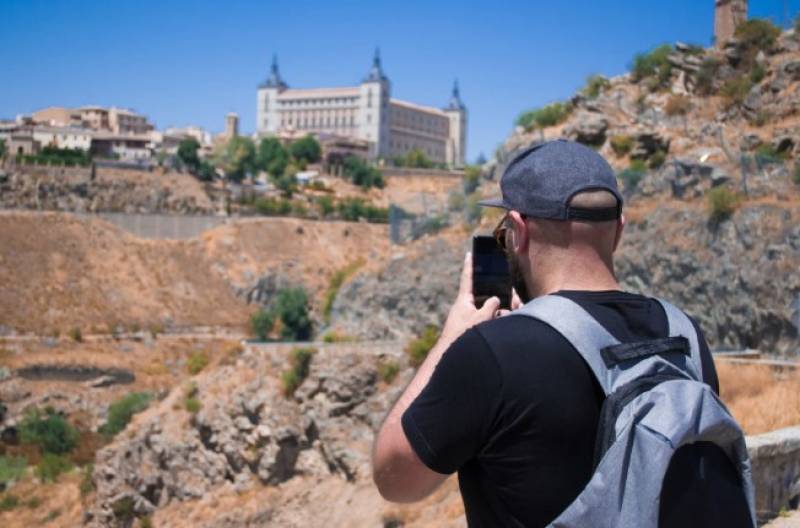
Spain is one of Europe's most visited countries, with Barcelona alone estimating 200 to 300 phones taken per day during peak tourist season. The figure does not include the digital risks – interception of public wi-fi, mobile spyware and phishing assaults that specifically target travellers since they are distracted, on unfamiliar networks and typically logged into everything at once.
You're traveling and your iPhone is working harder than usual. Boarding passes, maps, banking, texting, translation. Lose access to it, or let someone else get access to it, and a fantastic trip can quickly turn into a significant problem.
The best travel security is prior to getting on board. A few things you can do when you have a reliable connection at home:
Update iOS and all of your apps. Settings > General > Software Update Security fixes repair existing vulnerabilities and hackers deliberately hunt down devices running outdated software. Make sure that Find My iPhone is turned on in Settings > your name > Find My. Before you go, back up everything to iCloud or your Mac – photographs, contacts, texts. Go to Settings > General > About and make a note of your IMEI number. It is important that you report the theft to the police and to your carrier.
It's also worth deleting apps you don't use and signing out of accounts you won't need while you're traveling. The less data you have on your device, the less you are exposed across the border.
When you travel, you're more likely to log into accounts from new places – and that's the exact pattern attackers are waiting for. Often, account takeovers start with a phishing message that seems like a security alert. "Your account was accessed from Spain. Check here." The URL takes you to a very convincing fake login page.
Social messaging apps are a common target. Many travellers only realize afterward that their accounts have been compromised – messages sent to their contacts, personal information accessed, linked accounts revealed. There's a regular series of events when a Messenger hacked account is taken over: stolen login means account recovery gets rerouted, and then your contacts are targeted using your identity. The first symptom is often an unsolicited login alert and that's when you need to do something about it.
Before you go, turn on two-factor authentication on all of your critical accounts. Specifically, to turn on two-factor authentication for your Apple ID, on iPhone go to Settings > your name > Password and Security. For other accounts, utilize an authenticator app instead of SMS codes.
Free Wi-Fi: airports, cafés, hotels, beach bars, all around Spain. Open networks transmit traffic without encryption, so anyone on the same network with the correct software can read what you're sending. Do not access banking, email or any other important accounts on public Wi-Fi. If you must, use a VPN – it will encrypt your connection, whichever network you are on.
Mobile data is much more secure than public Wi-Fi for anything crucial. The best way to go for Spain is an eSIM – you can add a local data plan directly in Settings > Cellular > Add eSIM without switching physical cards in. It's cheap, instant, and you have your own connection for the length of the trip.
One particular setting worth checking: how to protect your Wi-Fi network behaviour on your iPhone. In Settings > Wi-Fi, make sure Auto-Join Hotspot is set to Never, and if you don't want it, switch off Ask to Join Networks. Your iPhone will automatically join network names that look familiar. Attackers exploit this by broadcasting bogus networks named "Airport_Free_WiFi" or similar.
Mobile spyware is software that runs invisibly in the background that monitors your position, reads your messages, and sends information out. The attack surface is smaller on iPhone than Android, with Apple's App Store approval process and sandboxing making it difficult for nasty apps to sneak in. But it's not a risk-free game.
Faster than typical battery draining, a heated phone when idle, and unusual mobile data usage are all signs of spyware on an iPhone. To discover which apps are using more than they should, go to Settings > Battery > Battery Usage By App or Settings > Cellular.
Never put your iPhone into a public USB port – charging stations in airports, cafes and shopping centres can transfer data as well as power. Bring your own Lightning or USB-C cable and plug into wall outlets. And if you can't find a wall outlet, a portable battery pack is safer than any public USB point.
How to tell if your phone has spyware on iPhone: go to Settings > Privacy and Security and check each permission area - Location, Microphone, Camera, Contacts. Any app that has permissions it doesn't need is worth deleting. Also check Settings > General > VPN and Device Management. You shouldn't have a Mobile Device Management profile on your personal device that you didn't install yourself.
On an iPhone, the quickest way to audit your privacy is Settings > Privacy and Security. Review each category - Location Services, Contacts, Microphone, Camera, Photos - to see what apps have access. Nix any that don't make sense.
If you think, “How do I check my phone for spyware specifically?”: go to Settings > General > VPN and Device Management. Remove any configuration profile you did not install. These are standard in professional settings but on a personal iPhone, you shouldn't have them unless you put them up yourself.


On iOS the cleanest option is a factory reset. Before doing this, make sure your iCloud backup is up to date – go to Settings > your name > iCloud > iCloud Backup and back up manually. Then after the reset restore from that backup, and change all your passwords immediately from a different device.
If a full reset sounds a bit much, begin by deleting any apps you don't recognize, withdrawing permissions that seem odd, and resetting passwords for your most sensitive accounts. Visit appleid.apple.com and review your Apple ID activity to see which devices are signed in and remove anything that you don't recognize.
Digital dangers receive more headlines, but in Spain the most common way that travelers lose their iPhones is by having them physically stolen. In Barcelona, Madrid and Seville, the usual methods are distraction theft and the outside café snatch-and-grab.
Keep your iPhone in a zippered pocket or in a bag in front of you. Do not leave them on cafe tables. Be extra vigilant in Barcelona's Las Ramblas, Madrid's Metro and busy markets. If your iPhone is stolen, use Find My iPhone right away to place your device in Lost Mode, which locks your iPhone and shows a contact number, and remotely delete your iPhone if necessary.
* iOS and all applications up to date
* Find My iPhone enabled and verified
* iCloud backup completed
* VPN configured and working
* eSIM or local data plan set up
* Two-factor authentication on all important accounts
* Auto-join open Wi-Fi is off
* IMEI written down independently from your phone
* App permissions reviewed and reduced
Spain is one of the best places to visit in Europe – the food, the weather, the architecture and the pace of life are really hard to surpass. There's a reason people keep returning: Seville's old center, Murcia's beaches, Barcelona's dynamism, the peaceful villages of Andalusia. With a little prep work before you go, you can keep your iPhone in your hands and your accounts yours, and the trip will be just what it's supposed to be: something you remember for the right reasons.